
diados
Extension of the Day

diados

5.0 FREE
  • Screenshot 1

Description

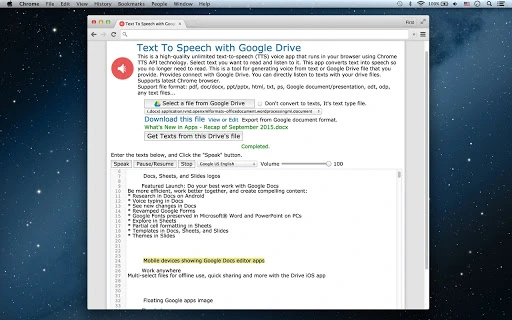
This is a high-quality unlimited text-to-speech (TTS) voice app that runs in your browser using Chrome TTS API technology. Select text you want to read and listen to it. This app converts text into speech so you no longer need to read.This is a tool for generating voice from text or Google Drive file that you provide. Provides connect with Google Drive. You can directly listen to texts with your drive files.Supports latest Chrome browser.Support file format: pdf, doc/docx, ppt/pptx, html, txt, ps, Google document/presentation, odt, odp, any text files...Supports TTS language: US English, UK English Male, UK English Female, Español, Français, Italiano, Deutsch, 日本人, 한국의, 中国的...

Guides & Tutorials for Text To Speech with Google Drive App for Chrome

How to install Text To Speech with Google Drive App for Chrome
  1. Click the Preview / Download button above.
  2. Once redirected, accept the terms and click Install.
  3. Wait for the Text To Speech with Google Drive App for Chrome download to finish on your device.
How to use Text To Speech with Google Drive App for Chrome

This software is primarily used for its core features described above. Open the app after installation to explore its capabilities.

User Reviews for Text To Speech with Google Drive App for Chrome 0

    No reviews found

Similar Apps


